Castle - Make and Play
- 4.7
- Rating
- 10.00M
- Installs
- Free
- Price

 Analysis by App-foxy
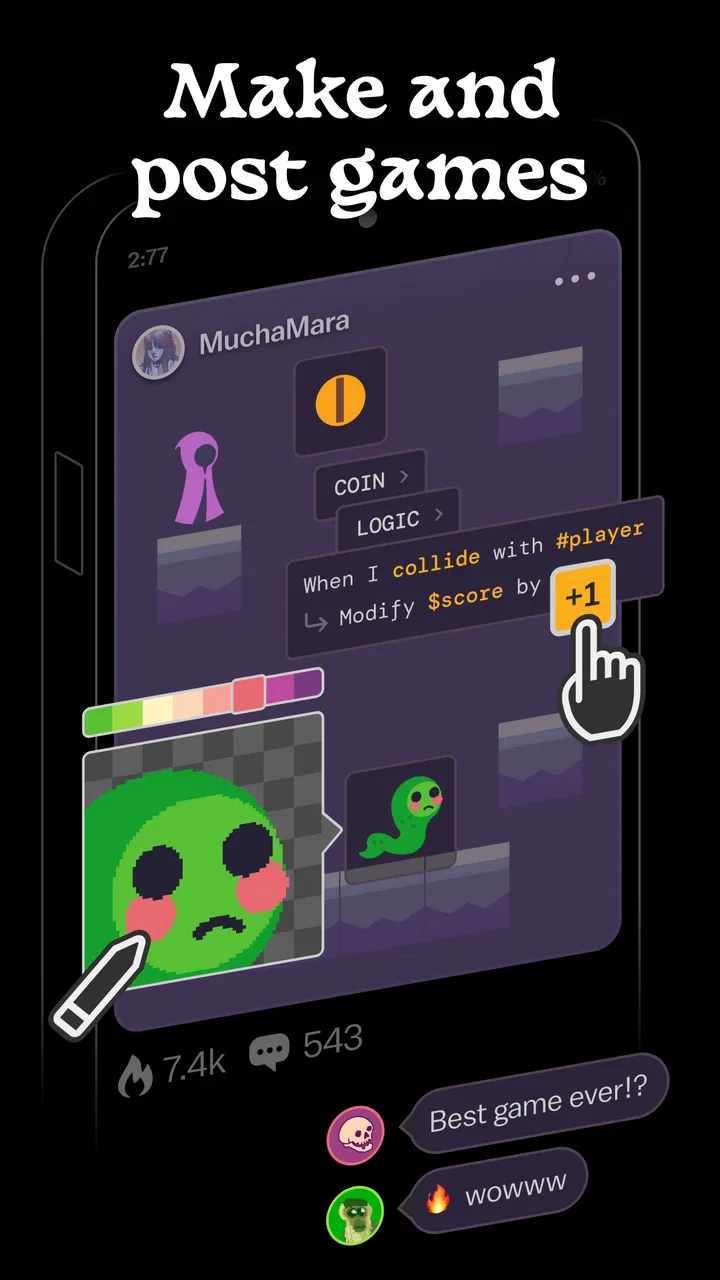
Castle - Make and Play is the kind of creative app that makes more sense after a few minutes of experimenting than it does from a short store description. I found it less like a traditional drawing tool and more like a social playground where making something and trying something made by someone else are part of the same loop. That combination is its main appeal: I can arrive with no finished idea, build a small game-like creation, then switch roles and play.
As an Art & Design app from Monterey's Coast, Inc., it sits in an unusual space between casual creation, game discovery, and social interaction. It is free to download, carries a Teen content rating, and has reached over ten million installs. Those details match my impression of its audience: this is aimed at people who want a low-pressure creative outlet, not at developers looking for a full professional game engine.
The important question is not simply whether Castle lets you make things. It is whether the mixture of creation and connection fits the way you use your phone. In my experience, the app is strongest when I have a short burst of curiosity, a stable connection, and a willingness to try imperfect ideas. It is less convincing when I want a private sketchbook, a polished art editor, or a game that works independently of a social feed.
You May Also Like

 Blood Strike: 2.5 Anniversary
Blood Strike’s Loadouts Turn Every Drop Into a Tactical Gamble
A close look at Blood Strike’s custom loadouts: how fast access to signature weapons reshapes its battle royale rhythm, rewards preparation, and narrows the gap between fights.

 Pandora - Music & Podcasts
Pandora’s Music Is Easy to Start, but Harder to Recover
Pandora’s strength is its low-effort path from a seed to a station. Its weak spot is how much confidence it asks you to place in connection, setup, and quiet recovery.

 8 Ball Pool
 Is Built on Rivalries, Rematches, and Routine
A close look at the rivalries, rematches, shared routines, and unanswered safety questions that turn a quick pool match into a persistent mobile community.

 Samsung Music
’s Quiet Strength Is Playing What You Already Own
Its reach comes less from spectacle than from dependable access to a personal library. That simplicity is both the app’s strongest retention engine and its ceiling.

 AccuWeather: Weather Radar
AccuWeather Review: A Quick, Clear Forecast for Everyday Decisions
For everyday plans, the best forecast is the one you can understand quickly. AccuWeather makes rain timing, radar, and local conditions easy to act on, with a few trade-offs.

 Hill Climb Racing
Why Hill Climb Racing Still Turns Crashes Into One More Run
A tiny car, a bumpy hill and one more upgrade: Hill Climb Racing keeps resurfacing because its simple chaos makes every near-miss feel personal.
More From Our News Desk
View All News


How Castle feels when creating and playing depends on the connection
I find that Castle’s creative loop is most satisfying when I treat connection quality as part of the session rather than an afterthought. A steady connection helps me move between discovering an idea and trying one of my own, while a weak one can make even a short visit feel stop-start. It is worth choosing the right moment and setting before opening the app, especially when I want to focus on making.
The first minutes are about lowering the barrier to making
What I like most is the invitation to start before I have a complete concept. A conventional game-making tool can make me think about rules, assets, scenes, and structure before I have created anything. Castle feels more approachable because the creative and playable sides are presented together. I can treat a small experiment as a finished idea rather than feeling that every project needs to become a serious production.
That approach is useful for beginners, younger creators, and anyone who normally abandons creative apps after seeing too many controls. It also suits people who enjoy remixing the basic idea of a game: changing the mood, adjusting the challenge, or turning a simple interaction into something surprising. The trade-off is that the same simplicity may feel limiting if I already know how to build complex systems or want precise control over every visual detail.
I would not install Castle expecting the workflow of a desktop art package. It is better understood as a place to explore ideas through play. The result can be more immediate and entertaining, but it may also feel less disciplined. That is not a flaw for its intended audience; it is a reason to choose it for experimentation rather than finished illustration work.
Why network access matters during discovery
The social side changes the rhythm of the app. Browsing other creations, moving between making and playing, and seeing a wider range of ideas all depend on the connected experience. When the connection is responsive, the app feels lively because there is always another creation to inspect or another direction to try. The network is not just a background requirement in this kind of product; it shapes the sense of variety.
I noticed that this makes Castle more rewarding in places where I can give it attention instead of opening it for a completely isolated activity. A quick session while waiting for an appointment can work well if the connection is reliable. On the other hand, a weak signal can interrupt the very part that makes the app different from a standalone drawing or puzzle tool.
This also affects expectations around patience. A connected creative community is naturally less predictable than a fixed collection of local levels. The available experience can feel fresh, but I am also relying on smooth loading and a healthy flow of shared content. If I want the same set of tools and challenges every time, a conventional offline game will usually feel more dependable.
Playing is also a way to learn the creative language
One of my favorite uses is to play first and create later. Seeing how other people turn a simple concept into an interactive idea gives me practical inspiration that a blank canvas does not. I can pay attention to what makes a creation understandable, where the challenge becomes interesting, and which visual choices help me know what to do next.
That creates a useful learning loop for beginners. Instead of studying a long tutorial, I can observe a playable result and then try a smaller version of the idea. The lesson is not only technical. It is also about communication: a creation has to make sense to someone who did not build it. Castle encourages that perspective because the audience is part of the experience.
The limitation is that social discovery can pull me away from finishing my own work. It is easy to keep exploring instead of refining. My practical advice is to separate the two activities: spend one session collecting ideas, then return to creation with one specific change in mind. That simple habit makes the app feel more productive and prevents the feed from becoming the entire experience.
A realistic phone scenario
Imagine having fifteen minutes before a train arrives. I might open Castle, try a few creations, notice one interaction I like, and use the remaining time to make a small variation. That is a better fit than attempting a long, carefully structured project. The short session has a clear beginning and end, and the social element gives me an immediate source of prompts.
Now imagine the same situation underground or in an area with an unreliable signal. The experience can become frustrating if I expect the discovery side to behave like a locally installed game. I would rather use that moment for a standalone tool and return to Castle when I can maintain a dependable connection. This distinction is central to deciding whether the app belongs in my regular rotation.
What happens when something fails?
Connected apps can fail in ways that have nothing to do with the quality of the creative idea. A page may take longer to appear, a session may lose momentum, or a transition between browsing and playing may not feel immediate. Even when the issue is temporary, it breaks the mental flow that makes experimentation enjoyable.
My best approach is to treat a stalled moment as a signal to pause rather than repeatedly tapping. I would first check whether other connected apps are behaving normally, then retry after a short wait. If I had just made a change, I would avoid assuming that every visible delay means the work has disappeared. The sensible habit is to make modest changes, allow the app time to respond, and avoid closing it in the middle of an uncertain transition.
This is also why I would not use Castle as the only place for an important creative project. For casual experiments, a setback is part of the process. For something I have spent a long time polishing, I want a workflow whose recovery behavior I understand clearly. Castle is most comfortable when the stakes are low and I am willing to recreate an idea if necessary.
Using it thoughtfully on a limited connection
Castle is not the app I would open carelessly on a restricted mobile plan. The connected browsing and social discovery are central enough that I would prefer a trusted Wi-Fi connection when I expect to spend a long time exploring. That is not a claim about a particular data policy; it is simply a practical way to keep an interactive, content-rich session from becoming an unpleasant surprise.
I also recommend planning sessions instead of leaving the app open while doing something else. The value comes from actively playing, observing, and making, so idle background time does not add much. Closing the app when I am finished is a sensible general habit, especially on a phone with limited battery or a connection that is shared across several people.
For parents and guardians, the Teen rating deserves attention before handing the app to a younger user. The social nature means the experience is not only about tools; it also involves content created by other people. I would look at the app together, discuss what to do with creations or interactions that feel uncomfortable, and make sure the user understands that public creative spaces require judgment.
Where the free model fits
The free entry point makes it easy to test Castle without committing money first. That matters here because the app's value depends on whether I enjoy its particular blend of making, playing, and social discovery. I can find that out through use rather than guessing from screenshots.
There are in-app purchases ranging from ninety-nine cents to nine dollars and ninety-nine cents per item. I would treat those as optional spending decisions, not as a reason to rush. A good approach is to use the free experience long enough to understand what I actually return for. If the creative loop does not hold my attention, paying for extras will not solve that basic mismatch.
The free model also makes Castle easier to recommend to a friend who wants to experiment casually. I would still explain that “free” does not mean every possible item or enhancement has no cost. Checking each purchase before confirming it is especially important on a shared device or for a younger user.
How it compares with familiar alternatives
Compared with a standard drawing app, Castle is more social and more immediately playful. A drawing app is usually the better choice when I want layers, careful brushwork, image editing, or a quiet private workspace. Castle wins when the goal is to turn an idea into something others can interact with and to learn by trying creations from a community.
Compared with a traditional mobile game, Castle offers more agency but less predictability. A conventional game gives me a designed progression, stable rules, and a known presentation. Castle asks me to explore a broader range of ideas, which can be exciting but also uneven. Some sessions may feel inventive; others may leave me searching for something that clicks.
Compared with a full game-development platform, Castle is easier to approach on a phone and less intimidating for casual creators. The price of that accessibility is depth. Someone building a large, structured project with advanced production requirements should look elsewhere. Someone who wants to understand the pleasure of making playable ideas without starting a technical course may find Castle much more welcoming.
Who should try it, and who should skip it?
I would recommend Castle to curious beginners, creative friends who enjoy showing each other experiments, and players who like discovering unusual small ideas rather than following one fixed campaign. It is particularly appealing if you learn best by seeing a result, playing with it, and then trying your own variation.
I would skip it if my priority is offline reliability, private art practice, professional illustration, or a carefully controlled single-player experience. I would also hesitate if I dislike user-created spaces or do not want a social layer involved in my creative hobby. The app's identity is tied to connection, so removing that part leaves less of a reason to choose it over simpler alternatives.
My connectivity verdict
Castle works best when I think of it as a connected creative playground rather than a conventional game or art editor. A reliable network strengthens discovery, makes the social exchange feel worthwhile, and helps the jump between playing and making feel natural. An unreliable connection does the opposite, turning short creative impulses into waiting and interruptions.
The app has earned a 4.7 average from around one hundred twenty-eight thousand ratings, with roughly two thousand four hundred written reviews, and its current version is 242.0. It supports Android 7.0 and later, which makes it accessible on many older devices, though the quality of a session will still depend on the phone, connection, and kind of content being explored.
My final recommendation is straightforward: try the free version when you have a stable connection and approach it with a small idea, not a grand project. Give yourself time to play other creations before judging the making tools, and keep your first experiments deliberately modest. If you enjoy the exchange between creator and player, Castle - Make and Play can become a surprisingly engaging creative habit. If you want an isolated tool that behaves the same everywhere, a standalone art app or offline game is the better fit.
For me, the strongest reason to keep it installed is that it turns creative hesitation into action. I do not need a perfect concept before beginning; I only need enough curiosity to test one. That is a meaningful strength, provided I remember the central trade-off: the connection is part of the experience, not merely a convenience.
FAQs for Castle - Make and Play
01What is Castle - Make and Play?
Castle - Make and Play is a creative platform that allows users to design, share, and play interactive games and experiences. It offers an intuitive interface for building games without needing extensive programming skills. Users can explore a wide variety of user-generated content and even collaborate with others on projects.
02Is Castle - Make and Play suitable for all ages?
Yes, Castle - Make and Play is designed to be family-friendly and accessible to users of all ages. The platform encourages creativity and learning through interactive play. However, parents should supervise younger children while they explore online content to ensure it is age-appropriate.
03What are the key features of Castle - Make and Play?
Castle - Make and Play offers a range of features including a drag-and-drop game editor, a library of customizable assets, and collaborative tools for working with other users. Players can also explore a vast collection of user-created games and experiences, providing endless entertainment and inspiration.
04Is an internet connection required to use Castle - Make and Play?
While you can create and edit games offline, an internet connection is required to upload your creations, access the community's library of games, and collaborate with other users. Staying connected also ensures you receive the latest updates and features for the app.
05Are there any in-app purchases or subscription fees in Castle - Make and Play?
Castle - Make and Play is free to download and offers plenty of free content. However, there may be optional in-app purchases or subscription options for additional features, assets, or enhanced capabilities. These purchases are not necessary to enjoy the core functions of the app.
Pros
- Intuitive building controls for all ages.
- Engaging community with shared creations.
- Vibrant graphics enhance creativity.
- Frequent updates with new features.
- Supports cross-platform play seamlessly.
Cons
- Limited free assets for non-paying users.
- Some features require strong internet.
- Occasional lag on older devices.
- In-app purchases can be pricey.
- User interface can be overwhelming.

Castle - Make and Play
Gallery